What is Unstudio? Meet your AI marketer
From understanding your business to making the next post, here is how the work fits together.
Unstudio ·
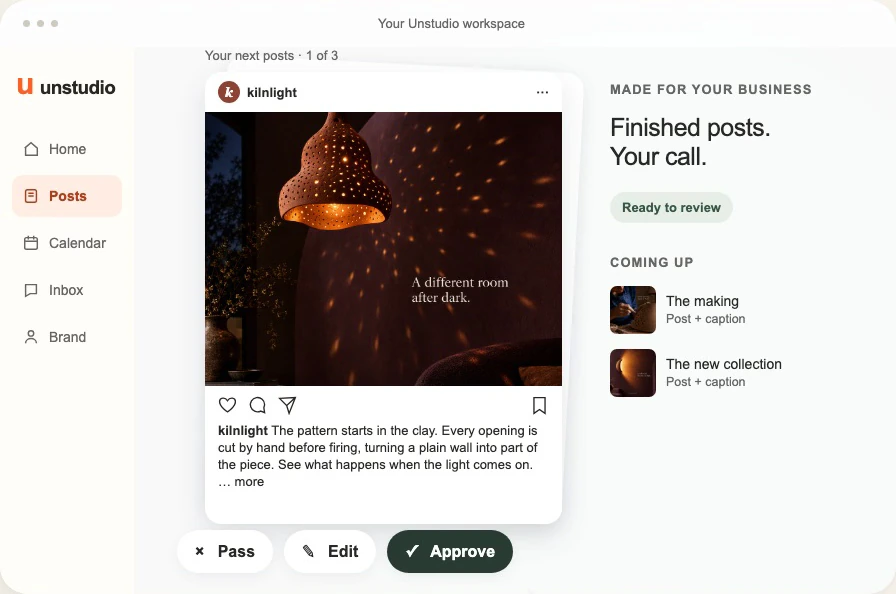
Unstudio is an AI marketer for small businesses. It uses what it knows about your business to plan social content, write captions and design posts, then helps you review and publish them through supported connections.
You start with your website. From there, Unstudio builds business context, makes work for you to review and uses your guidance and available post results to inform what comes next.
The aim is to take more of the recurring work off your hands. Not just the sentence you need help writing, but the sequence around it: finding an idea, choosing the right material, making the design, checking the draft and keeping the next piece moving.
To make that concrete, we will follow Kilnlight, the fictional ceramic-lighting business in our introduction visuals. Its products, workshop scenes, plans and results are illustrative. They are not a customer case study or evidence of performance.
Your website is the starting point, not the whole story
You should not need to write a full marketing brief before getting started. Your website already contains a first account of what you do: the products or services, the images you use, the way you describe them and the customers you speak to.
Unstudio reads that material to begin understanding the business. For a brand like Kilnlight, useful details might include its range of ceramic lights, the way it shows them in a room and any information it provides about how they are made.
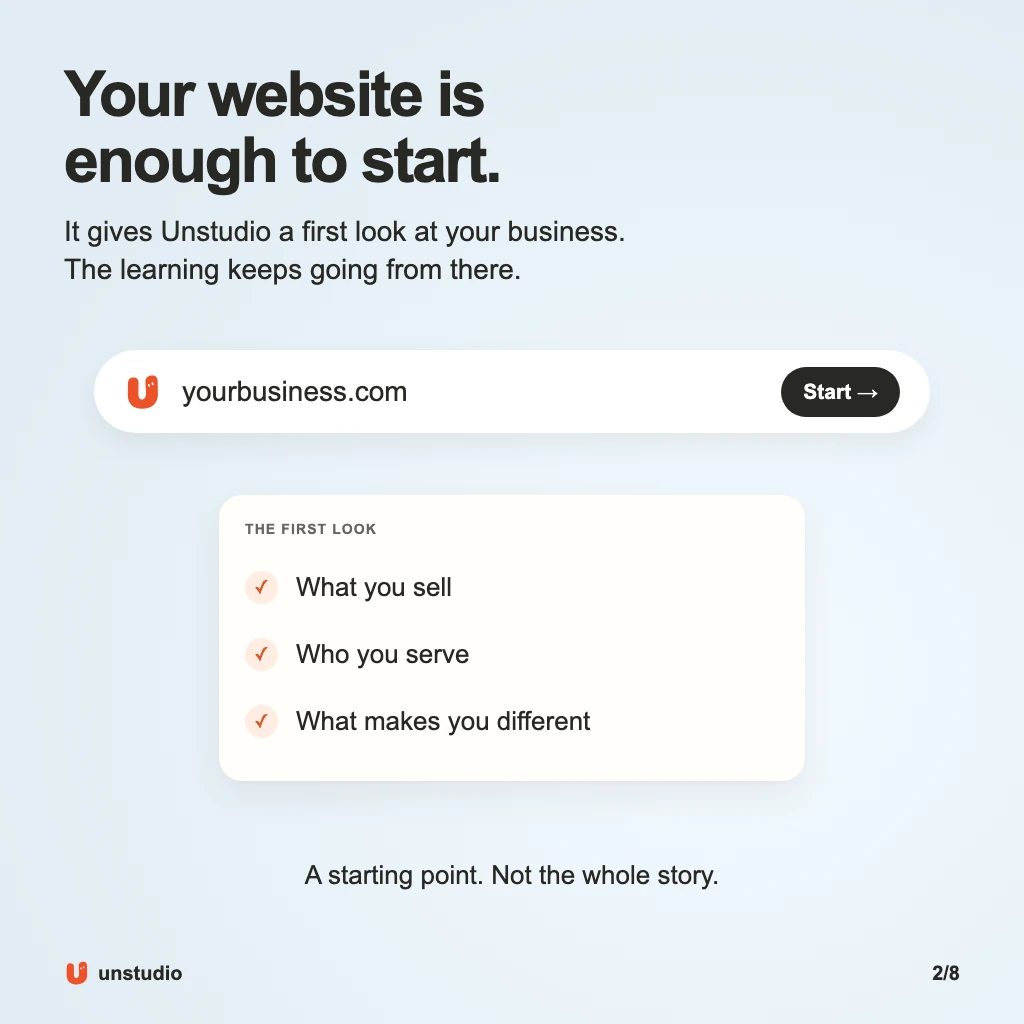
A website cannot tell the whole story. A new product may not be live yet. The workshop photo you took this morning may still be on your phone. A sentence on your About page might no longer sound like you.
That is why the business context can grow beyond the site. Your answers, uploaded material, corrections and supported connected-account history can all add information. The ongoing workflow can also research relevant web opportunities, such as an event that genuinely fits the business.
This is not a reason to pretend unknown details are facts. If a price, product claim or launch date is missing, it needs confirmation before it appears in a post. The useful starting point is what your sources actually establish, with room for you to add what they cannot.
It turns that understanding into a content plan
A list of post ideas is helpful. A plan goes further: it gives the ideas different jobs and connects them to the business.
For Kilnlight, three useful directions could be showing the effect of a light in a room, explaining the work behind its surface pattern and introducing a particular product. They all concern ceramic lighting, but they answer different questions.
The room image helps someone imagine living with the light. The workshop story explains a process they may not see in a product photograph. The product introduction gives them something specific to explore.
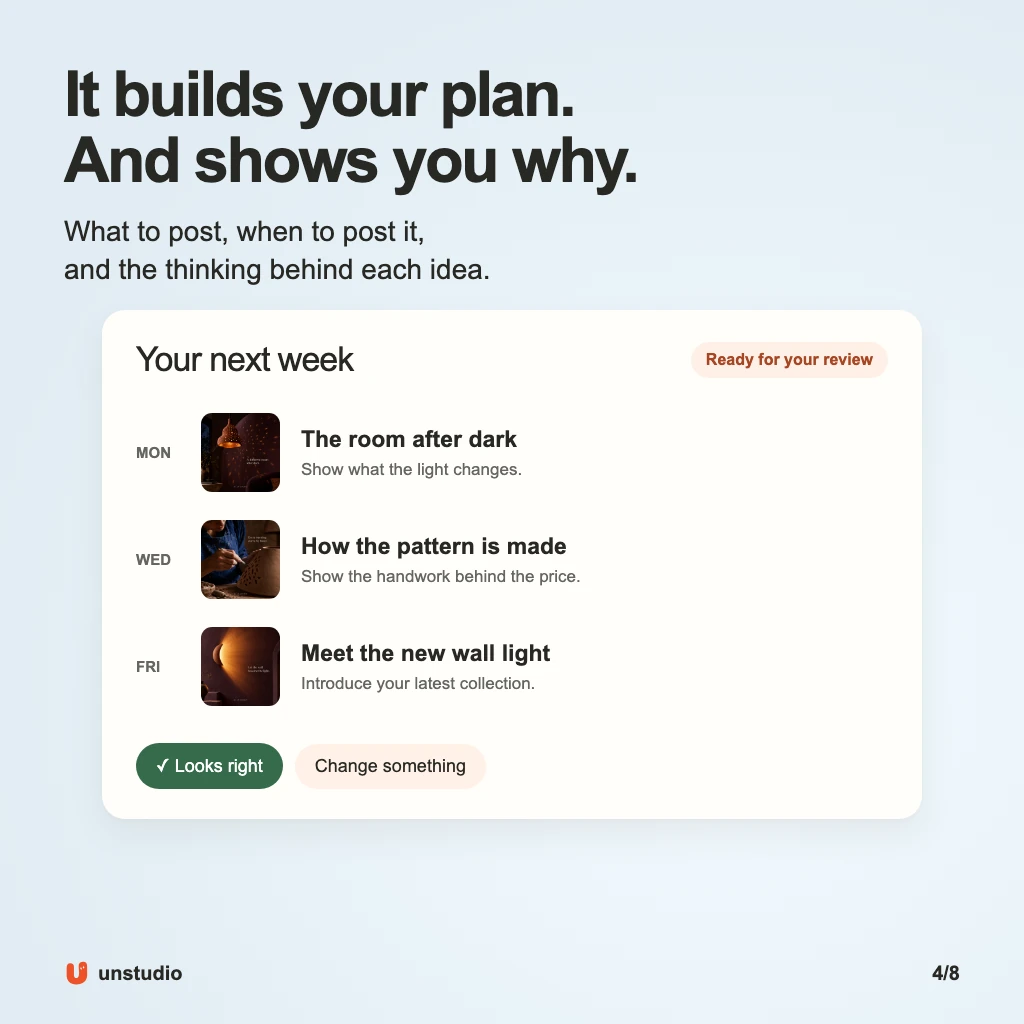
Unstudio develops content ideas and explanations from the context available to it. The reason matters because it gives you something useful to judge. You can see whether an idea is relevant, rather than simply deciding whether its headline sounds good.
You can also correct the direction. If there is no new collection, an introduction to an existing light may be more honest. If the business does not want discount-led posts, that is guidance to keep in the plan, not a correction to repeat in every caption.
Consistent posting does not require constant news. A useful explanation, a real process or an answer to a common question can give you a reason to show up. Our guide to what to post when nothing is new has examples for ordinary weeks.
The next step is finished drafts, not more homework
Once there is a direction, the work still needs to be made. Unstudio creates the words and visuals for social content, including product posts, useful tips, process stories and carousels.
It can work with available business images and selected product references, or create new imagery where the format and settings allow it. Saved visual guidance gives the work a starting point: colours, type choices, image direction and preferences that belong to the business.
For Kilnlight, that might mean a product image that makes the shape of the light clear, or a process story built around a real workshop photograph the owner supplies. These are different creative jobs. They should not become the same template with a different headline.
You then review actual drafts. Approve a post that is right, ask for an edit or pass on an idea that does not fit. You can describe a change in plain language, such as “Keep the image, but make the caption explain the material more clearly.”
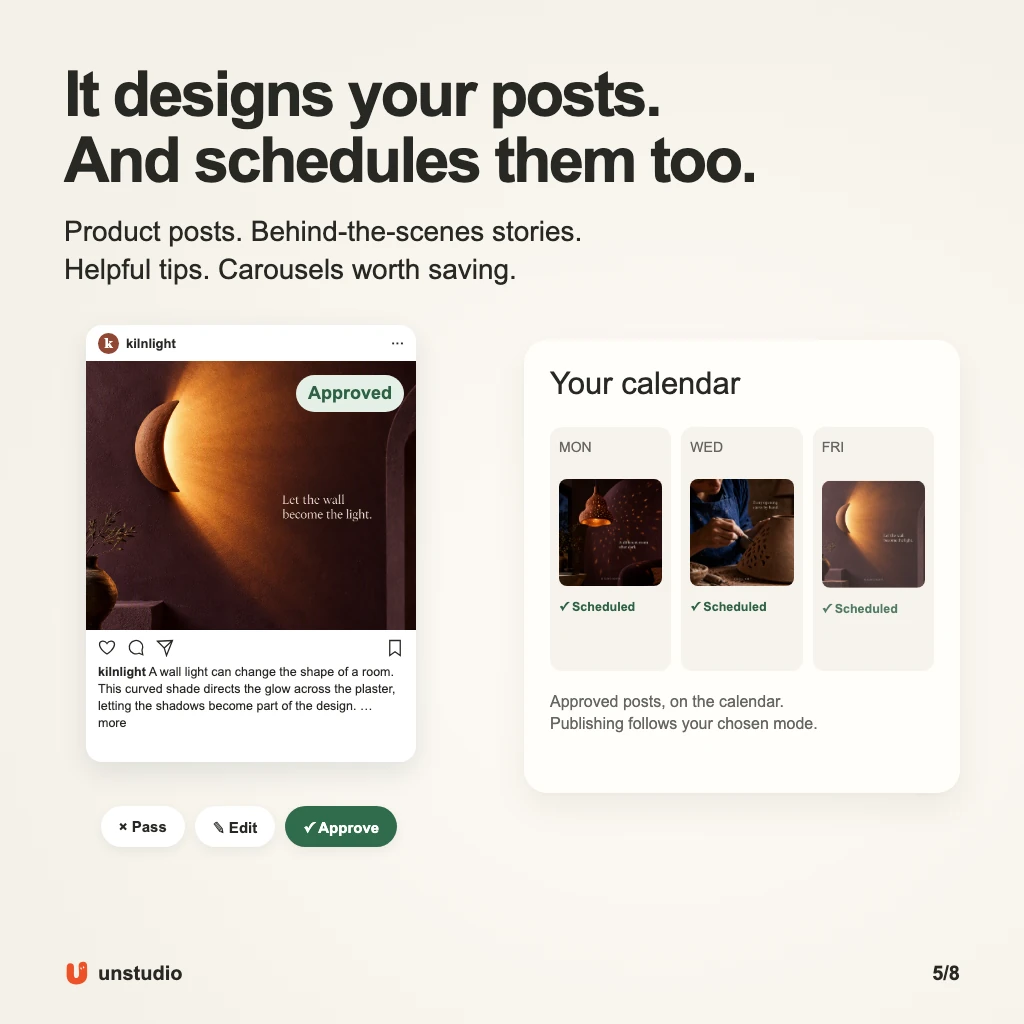
Review is also where your judgment matters. A product image still needs to show the right product. A claim about how it is made needs to be true. A phrase may be grammatically fine but wrong for your voice.
Unstudio keeps content versions and feedback in the workspace, so a revision has an existing piece of work to refer to. You do not have to treat every correction as a new creative brief.
For a carousel, the whole sequence matters, not just its cover. The slides should build an answer that a customer can follow. We explain that approach in our guide to making a carousel worth saving.
You choose how review and publishing work
Creating a post, approving it and publishing it are separate steps. Unstudio brings them into the same workspace, but a good draft is not proof that something has already gone live.
The calendar helps you see what is scheduled. The post’s status tells you whether it still needs attention, is waiting for a connection or has reached publication. That distinction is useful when you return after a few days and want to know what actually happened.
You can choose how much work waits for review and how much you leave to the available Autopilot settings. More automation is a choice, not a requirement. The same business may want close review for a launch and a lighter routine for familiar topics.
Platform support also has two parts. Unstudio can create image-post drafts for Instagram, LinkedIn, Facebook and X. Direct publishing depends on the enabled connection and format. In the implementation checked for this article, Instagram and LinkedIn have publishing support; Facebook and X are draft-only. Connecting an account does not by itself mean every publishing feature is enabled.
Check the options shown in your workspace before planning around a channel. A carousel, single image and Story do not necessarily have the same delivery options. The aim is to keep creation, review and supported publishing connected, not to hide the steps that still need you.
It keeps learning as your business changes
A useful marketer cannot rely forever on the first brief. Your products change, a new member joins the team, a customer asks a good question or something interesting happens in the workshop.
Unstudio can ask for information or material that would help the work. In the Kilnlight example, a workshop photo opens up a process story that would be hard to make honestly from product photographs alone.
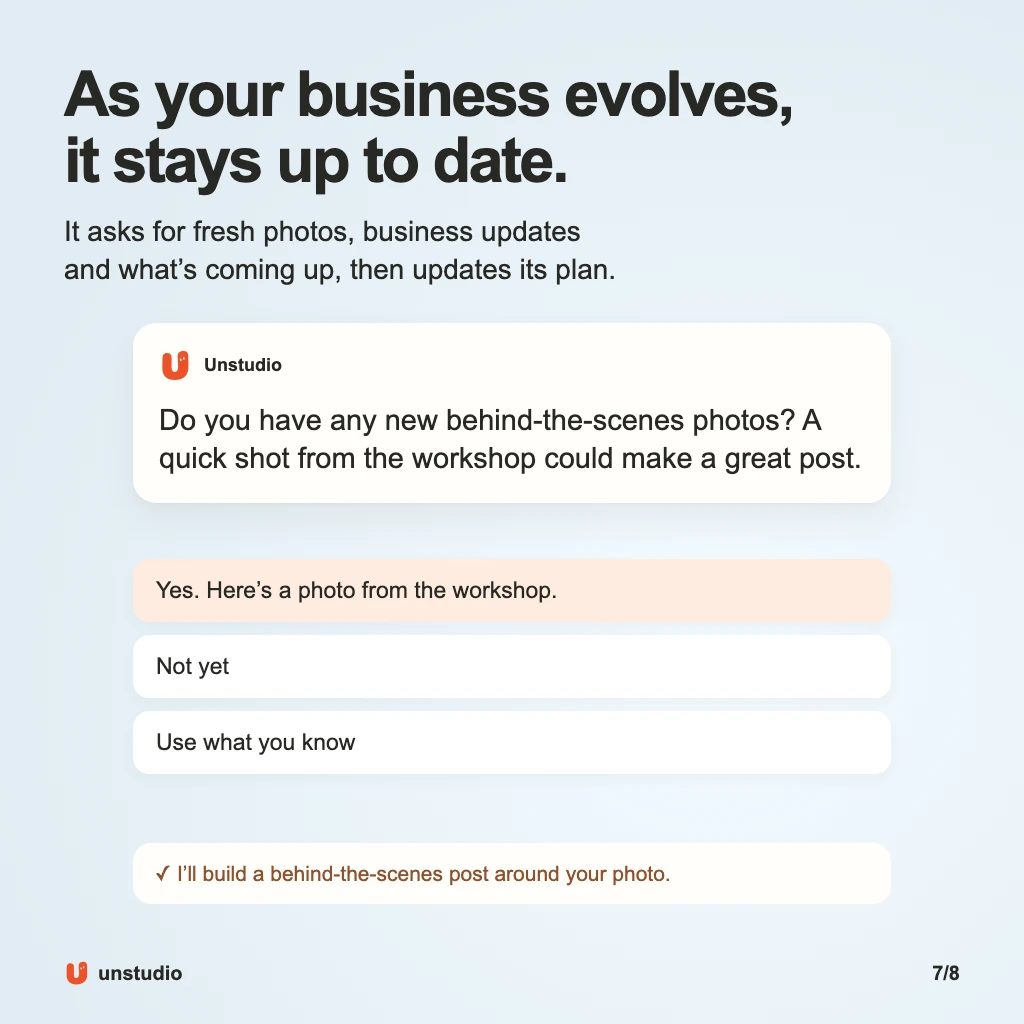
You should not have to manufacture a new story just to answer. Sometimes you have a photo; sometimes the right response is “Not yet” or “Use what you know.” The job is to work with the available material, not turn every missing detail into homework for the owner.
The context includes how you want the work handled. A standing instruction such as “Do not lead with discounts” is different from a one-off edit to a single post. Keeping those separate helps future work follow your direction without turning every passing comment into a permanent rule.
Results add another kind of context. With supported accounts connected and performance data available, Unstudio can bring engagement information back into its business memory and planning. You do not need to type out every available metric in a new message before it can be useful.
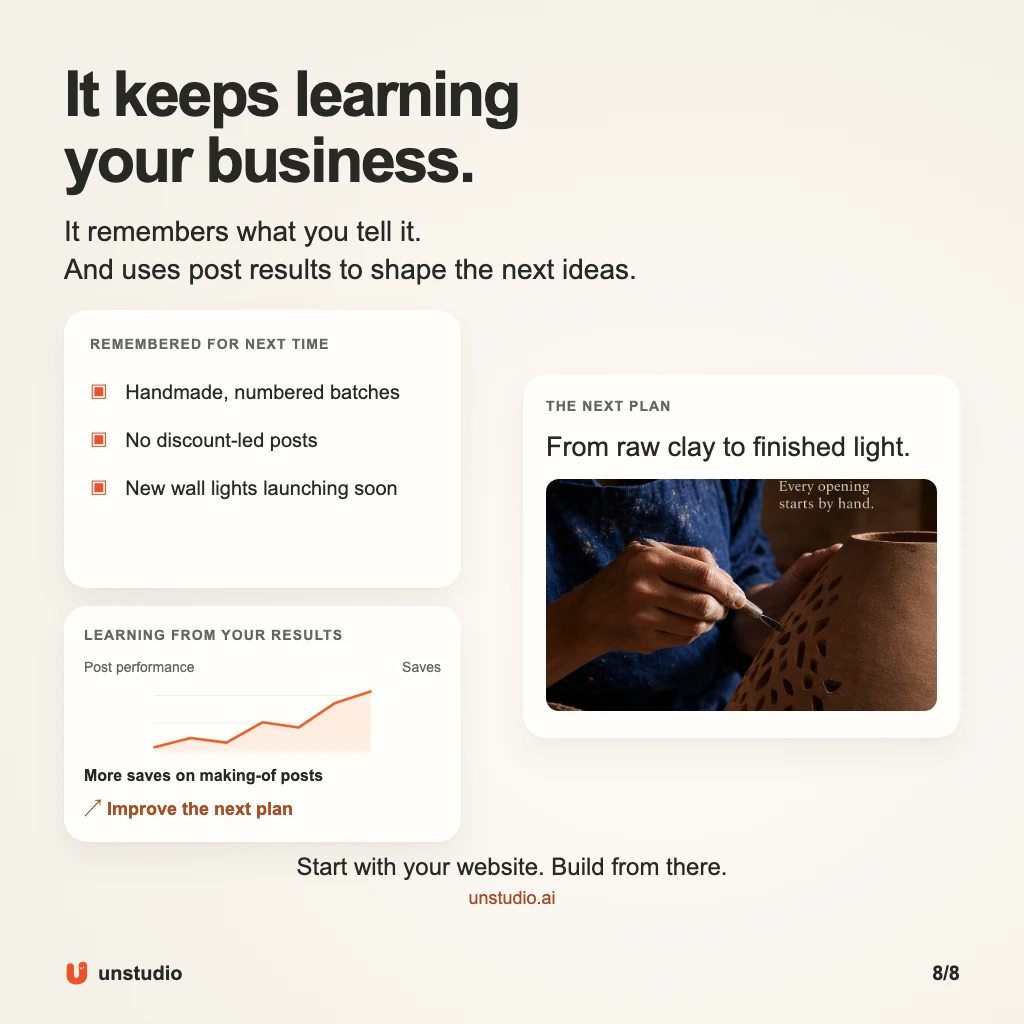
Suppose a process post earns a useful response. That could be a reason to test another angle on how a light is made, if the available evidence supports it. It is not a reason to copy the same post forever or decide that one result proves the whole strategy.
It is also important to distinguish engagement from business results. More saves do not establish more sales. An enquiry that turns into an order may need information from you or another system. Unstudio should use the evidence it has, not claim to see outcomes its connections do not provide.
This is where an ongoing workflow matters. The goal is for context, work and available results to stay connected, instead of making you rebuild the chain every time you sit down to do marketing.
What stays with you, and what Unstudio takes on
You bring the business knowledge that no tool can safely guess: the change in price, the product that is no longer available, the story behind a photograph and the tone that feels right.
Unstudio takes on the repeatable work around that knowledge: developing content ideas, making drafts, keeping the pieces available for review, arranging supported publishing and using feedback and available results in future work.
It can be useful when you run the business yourself and marketing keeps slipping to the end of the day. It can also give a small team more drafting and design capacity while they keep control of the direction. It does not mean every part of marketing, from paid advertising to sales follow-up, is covered by the social-content workflow.
The best first test is your own business. Start with the website, check what Unstudio has understood and review the work it makes. Does it use real details? Is the product right? Can you see why the idea belongs? Are the edits getting you closer to something you would actually post?
Those questions matter more than how many ideas an AI can produce. A folder full of drafts does not keep a business visible. A repeatable way to get suitable work finished can help.
Start with your website. Give Unstudio a first look at your business, then build from there.
Written by Unstudio. The visuals are product illustrations featuring fictional Kilnlight, not exact live-interface screenshots or customer results. Feature wording was checked against the current implementation on September 21, 2026. Publishing availability, formats and account permissions can change.